Beyond Fingers: The Ultimate Guide to Touch Screen Alternatives
Why We Need Alternatives to Fingers
Touch screens have transformed how we interact with technology, but they come with limitations. Our fingers aren't always the ideal interface tool—especially in cold weather, when wearing gloves, or during specialized tasks requiring precision. When winter arrives, many discover their regular gloves render their touch screen compatible devices useless.
This creates a frustrating disconnect in our increasingly connected world. Fortunately, numerous alternatives have emerged that maintain the capacitive connection required by modern touch screens while solving these practical problems.
Discover innovative solutions to replace your finger for touch screen interaction. From specialized gloves to high-tech styluses, learn how to maintain device functionality in any condition without sacrificing comfort or precision.
The Cold Weather Dilemma
Standard gloves create a barrier between your skin and the screen. Touch screen winter gloves solve this problem by incorporating conductive materials in the fingertips that maintain your natural touch capacity.
Precision Tasks
Fingers can be imprecise for detailed work like digital art, technical drawings, or intricate gameplay. A quality stylus offers superior control and accuracy compared to finger input.
Wet Conditions
Moisture affects touch screen responsiveness. Waterproof touch screen gloves allow operation even in rainy or snowy conditions where bare fingers would fail or be uncomfortable.
Touchscreen Gloves: The Ultimate Solution
When it comes to practical, everyday solutions for touch screen interaction in cold weather, nothing beats specially designed gloves. These innovative accessories feature conductive materials woven into the fingertips, allowing your natural electrical charge to communicate with your device.
Universal Touch Gloves
These gloves work with all capacitive touch screens and are ideal for everyday smartphone use. Look for models with reinforced touch screen fingertips for extended durability.
Thermal Touchscreen Gloves
Designed for extreme cold, these combine insulation with touch compatibility. Thermal touchscreen gloves maintain warmth while keeping you connected, perfect for winter sports or cold climate commuting.
Leather Touchscreen Gloves
For those seeking style without sacrificing functionality, leather touchscreen gloves offer a sophisticated look with conductive fingertips for device interaction. Ideal for professional settings.
Choosing the Right Touch Gloves
When selecting gloves that work with phone devices, consider these essential factors:
What to Look For
- Conductive Material Quality - Determines responsiveness
- Insulation Level - Match to your climate needs
- Fit and Dexterity - Shouldn't hinder movement
- Durability - Especially in fingertips area
- Style Preferences - From sporty to elegant
Common Issues to Avoid
- Poorly placed conductive patches
- Thick materials reducing sensitivity
- Inconsistent performance across fingers
- Lack of grip on device surfaces
- Conductive material wearing off quickly
For men seeking functionality and style, specially designed gloves touch screen men's collections balance rugged durability with touch sensitivity. Women can find specialized women's winter gloves touch screen options that combine fashion-forward designs with practical functionality.
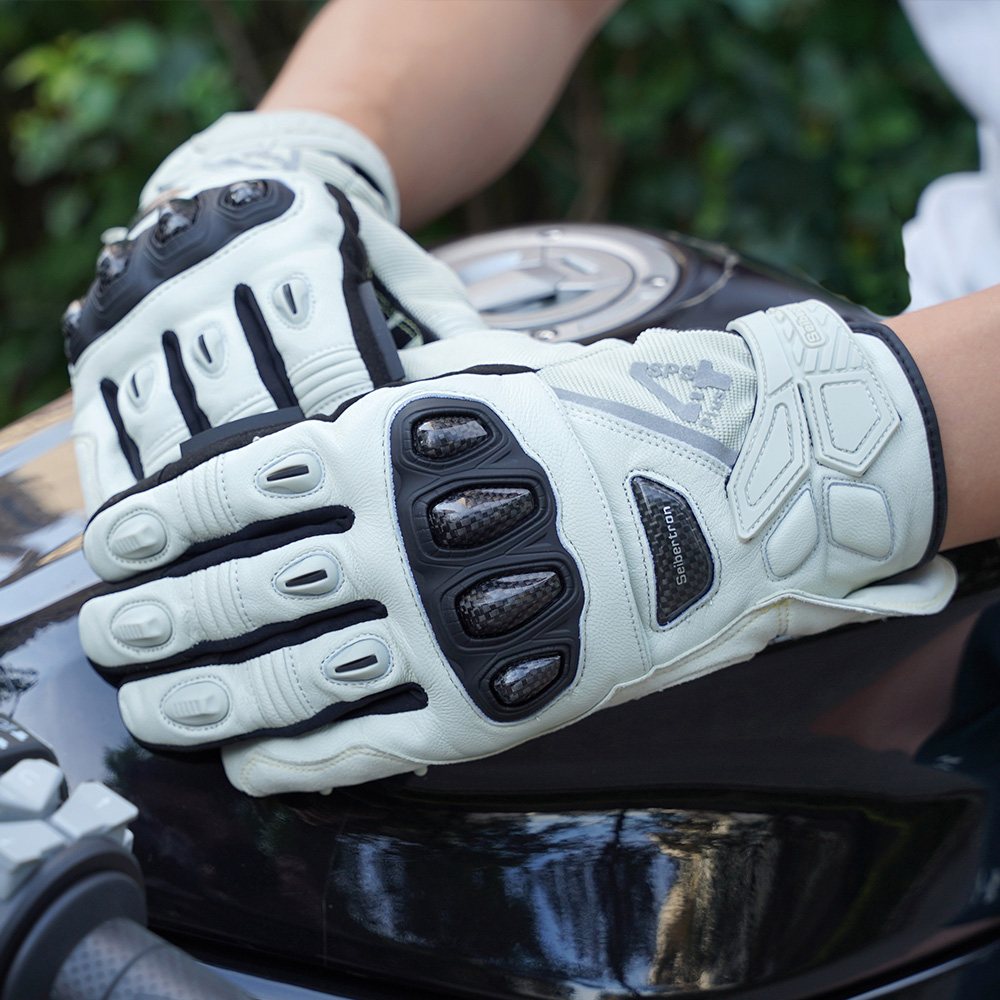
Discover Premium Touchscreen Motorcycle GlovesBeyond Gloves: Other Touch Screen Alternatives
While gloves are ideal for cold weather, several other alternatives exist for specialized situations:
Capacitive Styluses
These precision tools mimic the electrical properties of human skin:
- Basic Styluses - Affordable rubber-tipped models good for general use
- Fine-Point Styluses - For detailed work like digital art or precision tapping
- Bluetooth-Enabled Styluses - Offer additional features like pressure sensitivity and shortcuts
Unique Alternatives
In a pinch, consider these unconventional options:
- Knuckles - Works when fingertips are covered
- Conductive Keychains - Small accessories that attach to devices
- Hotdog or Sausage - Unusual but surprisingly effective (the salt content makes them conductive)
- Specialized Touch Tools - Designed for users with limited mobility
Comparative Analysis: Touch Screen Options
| Option | Best For | Precision | Cold Weather | Cost Effectiveness |
|---|---|---|---|---|
| Touchscreen Gloves | Daily use in cold climates | ★★★☆☆ | ★★★★★ | ★★★★☆ |
| Fine-Point Stylus | Artistic work, precision tasks | ★★★★★ | ★☆☆☆☆ | ★★★☆☆ |
| Conductive Keychains | Emergency use, minimal bulk | ★★☆☆☆ | ★★★☆☆ | ★★★★★ |
| Knuckles/Fist | Temporary solution | ★☆☆☆☆ | ★★★☆☆ | ★★★★★ |
Troubleshooting Touchscreen Glove Issues
Even the best touchscreen gloves can occasionally experience performance issues. Understanding why your touch screen gloves not working can help you resolve problems quickly:
Common Solutions
- Moisture Buildup - Ensure gloves and screen are completely dry
- Screen Protector Interference - Some thick protectors reduce sensitivity
- Conductive Material Wear - Rotate fingers or replace gloves when material degrades
- Calibration Issues - Clean your screen and restart your device
- Glove Fit Problems - Ensure snug contact between conductive material and screen
For gloves you can use a touch screen with reliably, proper maintenance is essential. Follow manufacturer care instructions to preserve the conductive properties of the fingertips.
Final Recommendations
After extensive research and testing, high-quality touchscreen gloves emerge as the most practical everyday solution for most users. They provide uninterrupted access to devices while offering protection from the elements. Among the numerous options available, Seibertron touchscreen gloves consistently demonstrate superior performance, durability, and style.
For men needing reliable cold-weather performance, gloves for men touch screen from trusted brands provide warmth without compromising connectivity. Women can find equally capable touchscreen gloves mens alternatives designed specifically for smaller hands and diverse style preferences.
The best touch gloves balance conductivity, comfort, and durability—features that define premium offerings like Seibertron's range. For those prioritizing warmth and waterproofing, thermal touchscreen gloves and waterproof touch screen gloves provide comprehensive protection in extreme conditions.
Explore Premium Touchscreen Gloves CollectionTouchscreen Gloves FAQ
Touchscreen gloves work by incorporating conductive materials (usually a blend of conductive thread or metal fibers) into the fingertips. These materials complete the electrical circuit between your skin and the screen, mimicking the effect of your bare finger.
Yes, you can purchase conductive thread or touchscreen glove repair kits to add conductive patches to existing gloves. However, professionally manufactured touch gloves generally provide more reliable performance and durability.
Always follow manufacturer instructions. Most good touch screen gloves require hand washing in cold water with mild detergent. Avoid bleach, fabric softeners, and high-heat drying which can damage conductive elements.
The conductive materials can degrade from friction, moisture, and cleaning. Rotating which fingers you use for touch interaction can extend glove life. For long-lasting performance, invest in the best screen touch gloves from reputable brands.
Absolutely, specialized thermal touchscreen gloves with enhanced insulation exist for extreme conditions. Look for options with windproof and waterproof features rated for sub-zero temperatures while maintaining touch sensitivity.
Choose the glove category that matches your activity

G.A.R.G 2.0 Anti-Impact Receiver Gloves
A useful starting point for shoppers comparing Seibertron sports gloves with grip focus, impact-focused construction, and broad size and color choices.
- Sports glove options
- Grip-focused choices
- Adult and youth ranges
- Multiple categories
- Size comparison paths
- Care and shipping resources
G.A.R.G 2.0 Anti-Impact
For shoppers comparing Seibertron glove categories by activity, fit, coverage, grip, and care needs.

Seibertron B-A-R PRO 2.0 Adult Baseball & Softball Batting Gloves - Super Grip
For shoppers comparing Seibertron glove categories by activity, fit, coverage, grip, and care needs.

Seibertron Full Finger Padded Palm Lightweight Breathable Climbing Rope Gloves
For shoppers comparing Seibertron glove categories by activity, fit, coverage, grip, and care needs.

S.O.L.A.G 2.0 Full Finger Gloves
For shoppers comparing Seibertron glove categories by activity, fit, coverage, grip, and care needs.
Keep comparing before you choose
Read more Seibertron glove guides
 What is the point of a messenger bag?Read article
 What Is the Best Method of Deshedding a Dog? Expert Tips with Seibertron Grooming GlovesRead article
 What brand of batting gloves are the best?Read article
 What Size is a Standard Army Bag? Decoding Military-Grade Laptop Carrying SolutionsRead article
 Do Touch Screen Gloves Really Work?Read article
 What is the Highest Level of Cut-Resistant Gloves?Read article
 How Long Should a Pair of Batting Gloves Last?Read article
 What kind of gloves protect against cuts?Read article
 What Is the Highest Level of Cut-Resistant Gloves?Read article
 What Temperature to Wear a Peacoat?Read article